
Planet Earth Screen Saver2.1 - Download
You'll be able to download in few seconds.
Publisher Description
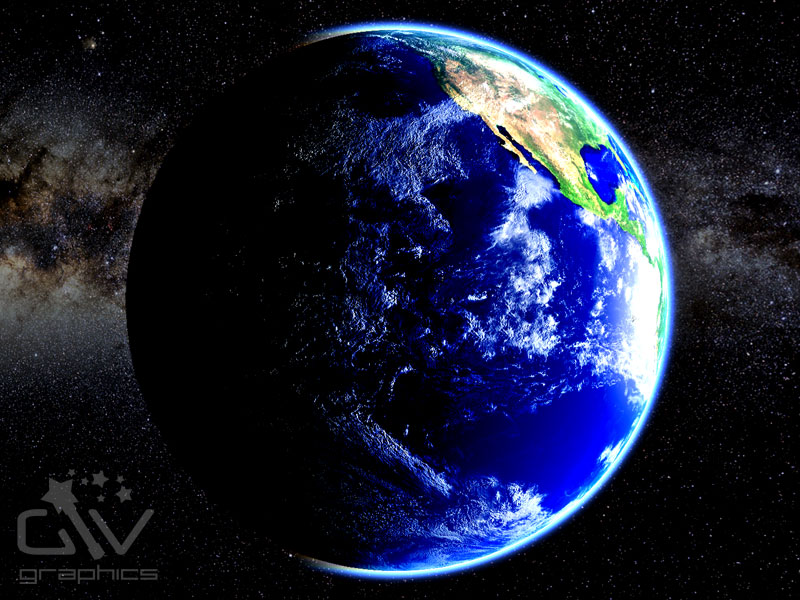
Explore the beauty of the Earth, the only place in the universe where life is known to exist. From the deep blue oceans, to the aurora of the shimmering atmosphere, admire the details of our wondrous planet against the great expanse of space.
This revolutionary 3D screensaver features a selection of carefully recorded movie clips showing you incredibly realistic views of the Earth and the Moon from space. This is made possible by the use of the latest graphics technology and rendering techniques.
The Planet's surface features are revealed with stunning details and image clarity. The sophisticated, physically-based, atmosphere modeling algorithm brings a realistic and faithful representation of the Earth’s atmosphere enabling you to watch spectacular scenes of light scattering. All of these scenes are displayed against a beautifully recorded, digitally mastered, soundtrack.
The trial version gives a sample of the first three movies. The full version of the product gives you access to all 13 movies showing the Earth’s continents (and other prominent features) from different vantage points and different phases of Earth rotation.
About Planet Earth Screen Saver
This Screen Savers: Science program is available in English. It was last updated on 29 September, 2026. Planet Earth Screen Saver is compatible with the following operating systems: Windows.
The company that develops Planet Earth Screen Saver is GIV Graphics. The latest version released by its developer is 2.1.
The download we have available for Planet Earth Screen Saver has a file size of 74.4 MB. Just click the green Download button above to start the downloading process. The program is listed on our website since 2012-05-20 and was downloaded 0 times. We have already checked if the download link is safe, however for your own protection we recommend that you scan the downloaded software with your antivirus. Your antivirus may detect the Planet Earth Screen Saver as malware if the download link is broken.
How to install Planet Earth Screen Saver on your Windows device:
- Click on the Download button on our website. This will start the download from the website of the developer.
- Once the Planet Earth Screen Saver is downloaded click on it to start the setup process (assuming you are on a desktop computer).
- When the installation is finished you should be able to see and run the program.
Program Details
System requirements
Download information
Pricing
Version History
version 2.1
posted on 2012-05-20
Version 2.1 contains bug fixes and improvements: 1) fixed a bug with the quality selection procedure resulting in automatic quality procedure downgrading the image quality too much; 2) improved 3D animation smoothness; 3) some movies have been reshot completely to improve 3D effect of the animation.
version 1.0
posted on 2009-10-03
Initial Release
Disclaimer
External Download
We do not host Planet Earth Screen Saver on our servers. We did not scan it for viruses, adware, spyware or other type of malware. This app is hosted by the software publisher and passed their terms and conditions to be listed there. We recommend caution when installing it.
The external download link for Planet Earth Screen Saver is provided to you by apps112.com without any warranties, representations or guarantees of any kind, so access it at your own risk.
If you have questions regarding this particular app contact the publisher directly. For questions about the functionalities of apps112.com contact us.
